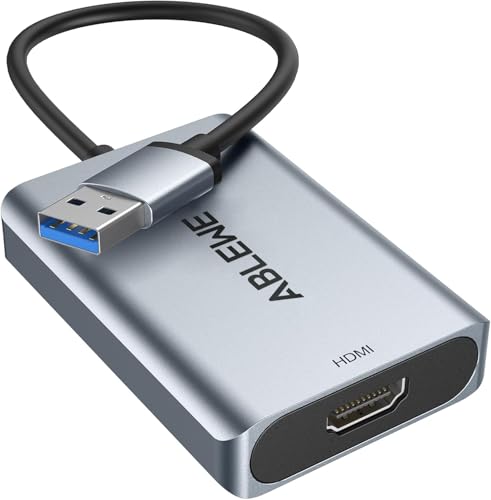
ABLEWE USB 3.0 to HDMI Adapter, Upgraded Aluminum HDMI to USB Audio Video Graphics Converter Cable for PC Laptop Monitor Projector Desktop TV,Support Mac OS,Windows 10/8.1/8/7
ABLEWE
Electronics
You will be redirected to complete your purchase
Affiliate Disclosure
As an Amazon Associate, we earn from qualifying purchases made through links on this site. This means if you click a link and make a purchase on Amazon, we may receive a small commission at no additional cost to you. These commissions help support our website.
Product Features
【Ultra High Resolution】Our upgraded USB to HDMI adapter features a 24K gold-plated USB 3.0 port and a premium-quality chip, this HDMI to USB converter ensures not only stable performance but also a long lifespan. It supports video resolutions up to 1080P and 3D display, with the capability to project at 1920x1080P@60HZ when connected to a USB port. 【Great Compatibility】The USB to HDMI converter works with great compatibility, suitable for Windows 10/8/8.1/7/XP and Mac OS (📣📣📣📣📣Incompatible with Windows XP(64 bit), Linux OS, Chrome OS🚀🚀🚀🚀🚀). ABLEWE provides a 12-month warranty and lifetime technical support for this item. Contact us for any issues. 【Upgraded USB to HDMI adapter】The USB 3.0 HDMI adapter enables the connection between a computer, equipped with a USB interface, and an HDTV, monitor, or projector with an HDMI interface. The chip and aluminum exterior of the device have been upgraded for improved compatibility and durability. 【Mirror & Extend Mode】Our USB 3.0 to HDMI adapter for monitor not only synchronizes images with displays for a visual enjoyment but also extends the computer with two screen displays to achieve multiple tasks at the same time. The HDMI adapter for laptop is ideal for games entertainment, home theater, video conference, corporate training, etc. 【Easy to Install】The HDMI to USB adapter comes with built-in drivers. Once plugged into the computer, the driver will automatically initiate, and you can simply follow the on-screen prompts for installation. Check the user manual for installation details. The CD is a driver backup; you can also download the driver from "Displaylink".